
Overview
Excel VBA for Finance Course Overview
This practical course is designed to introduce finance professionals and data analysts, already proficient in Excel, to the world of Excel VBA. We start with the basics: setting up the VBA environment, understanding the relevance of VBA in your work, and creating custom formulas. As you gain confidence, we’ll move to more complex topics, including error handling, sharing and publishing your functions, automating tasks, and working with arrays. Excel VBA is a powerful tool for automating repetitive tasks and simplifying complex calculations. To give you real-world experience, we incorporate a case study involving a multinational company. Here, you’ll apply what you’ve learned by building a custom function, offering you practical insights into various essential VBA topics and techniques. This course is your step towards mastering Excel VBA, making your data analysis tasks more efficient and effective.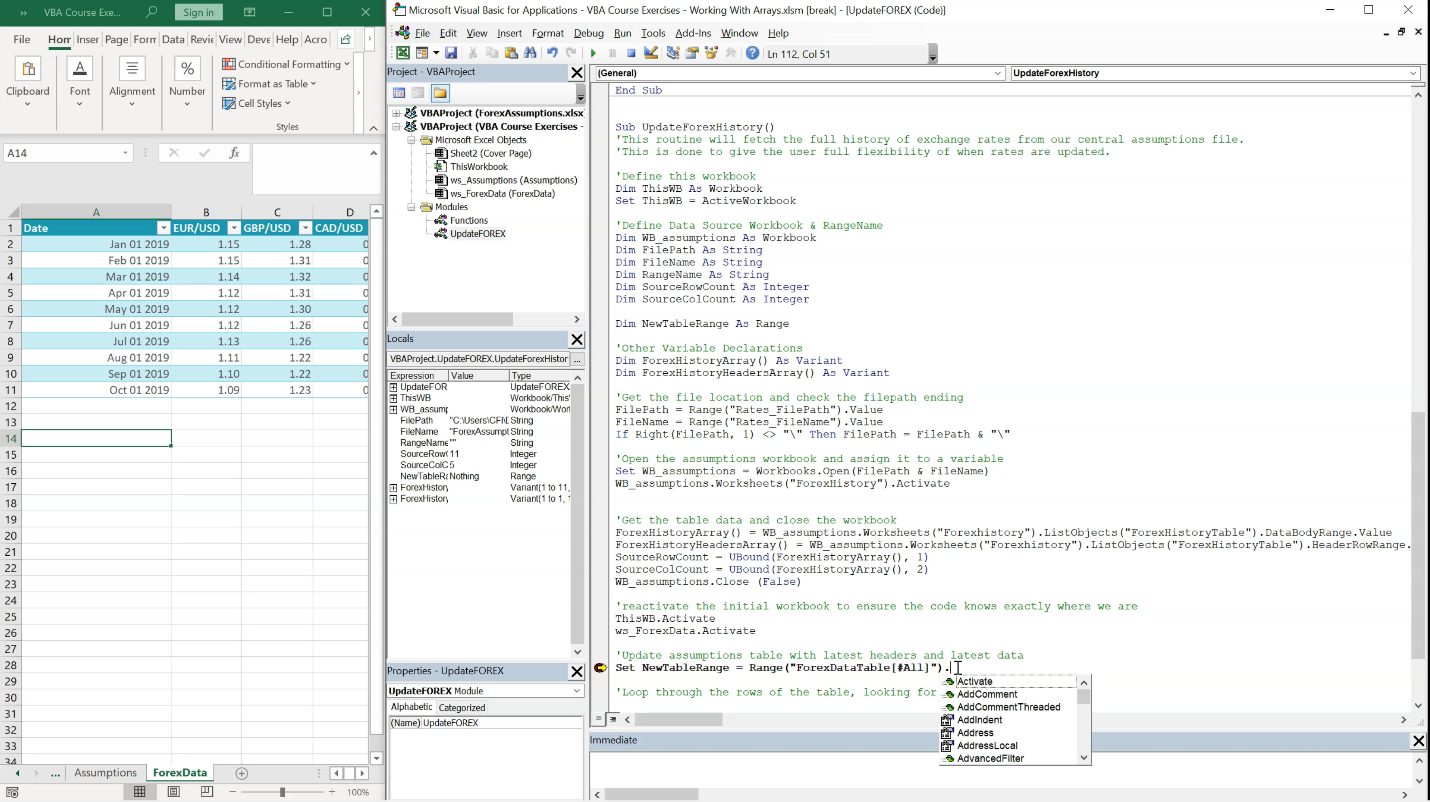
Who should take this course?
Our Excel VBA for Finance course is specifically tailored for professionals who already have a good grasp of Excel and are looking to leverage its full potential. This course is an excellent fit for those aiming to enter or excel in fields like investment banking, sales and trading, treasury, or other finance sectors. It’s also ideal for those aspiring to become Business Analysts. While Excel VBA operates similarly on both Mac and Windows, certain features differ in performance. Therefore, we recommend using a Windows system to fully benefit from the training. By the end of this course, you’ll be equipped with a solid foundation in Excel VBA, enhancing your efficiency and effectiveness in various financial roles.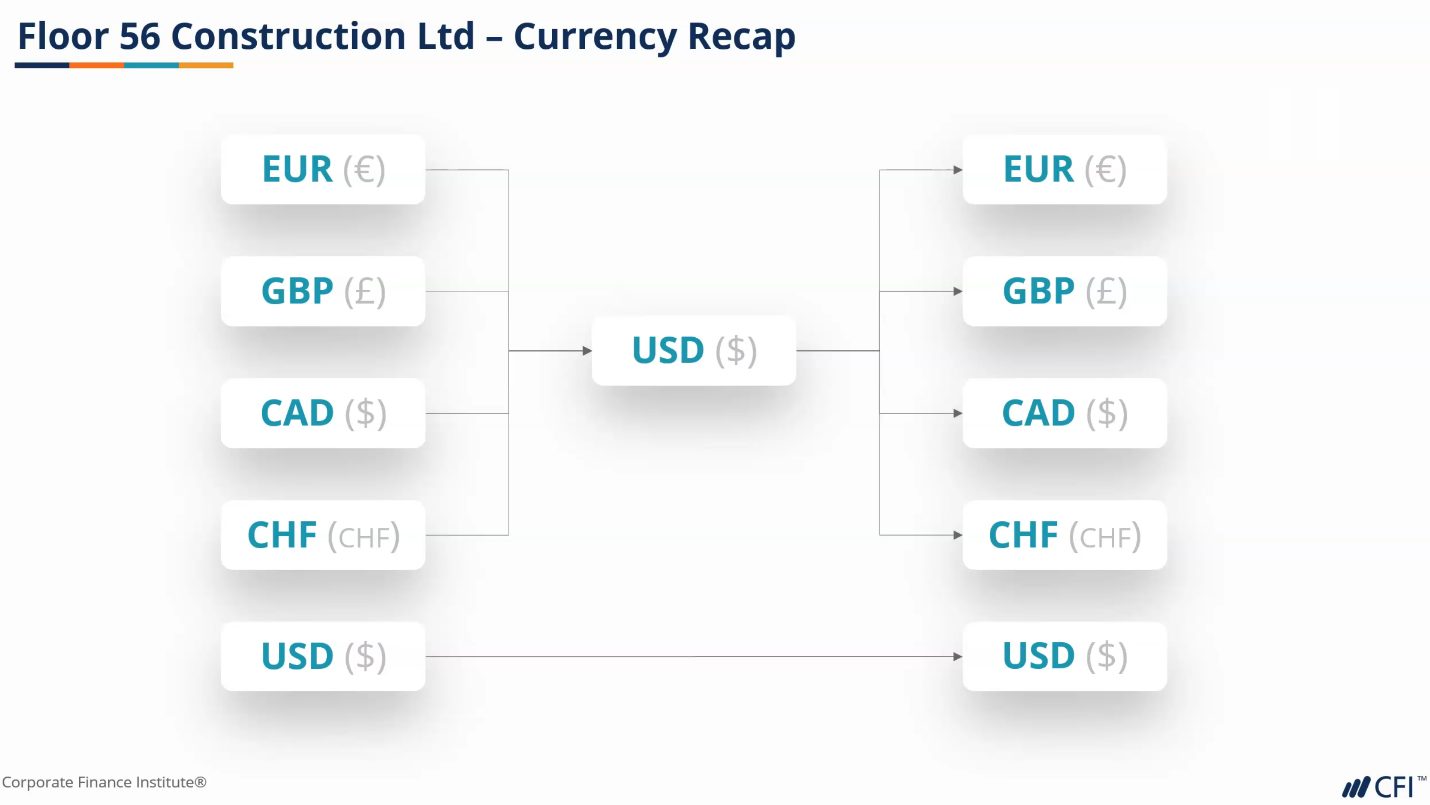
Software Requirements
Excel for Windows or Mac
Excel VBA for Finance Learning Objectives
- Know when and why to use VBA
- Create Custom Formulas in VBA to be used in Excel
- Identify coding errors, and manage errors in your data
- Publish your custom Functions and share them with your colleagues
- Create Events, and Automate Tasks
- Source large datasets
Prerequisite Skills
Recommended skills to have before taking this course.
- Excel
Excel VBA for Finance

Led by
Sebastian Taylor
Level 3
3h 54min
100% online and self-paced
Field of Study: Finance
Start LearningWhat You'll Learn
Lesson
Multimedia
Exams
Files
Custom Formulas
Session Objectives
Free Preview
How to Open VBA
Free Preview
A Tour of VBA
Free Preview
Create a Module
Enable Macros Notification
A Formula in Excel
A Basic Function
Making a Variable Dynamic
Application.Volatile
Future Proofing Our Code
Comments
Making Our Output Currency Dynamic
Chapter Review
Custom Formulas Exercise 1
Custom Formulas Exercise 1 Review
Custom Formulas Exercise 2
Custom Formulas Exercise 2 Review
Custom Formulas Exercise 3
Custom Formulas Advanced Examples
Errors and Exceptions
Session Objectives
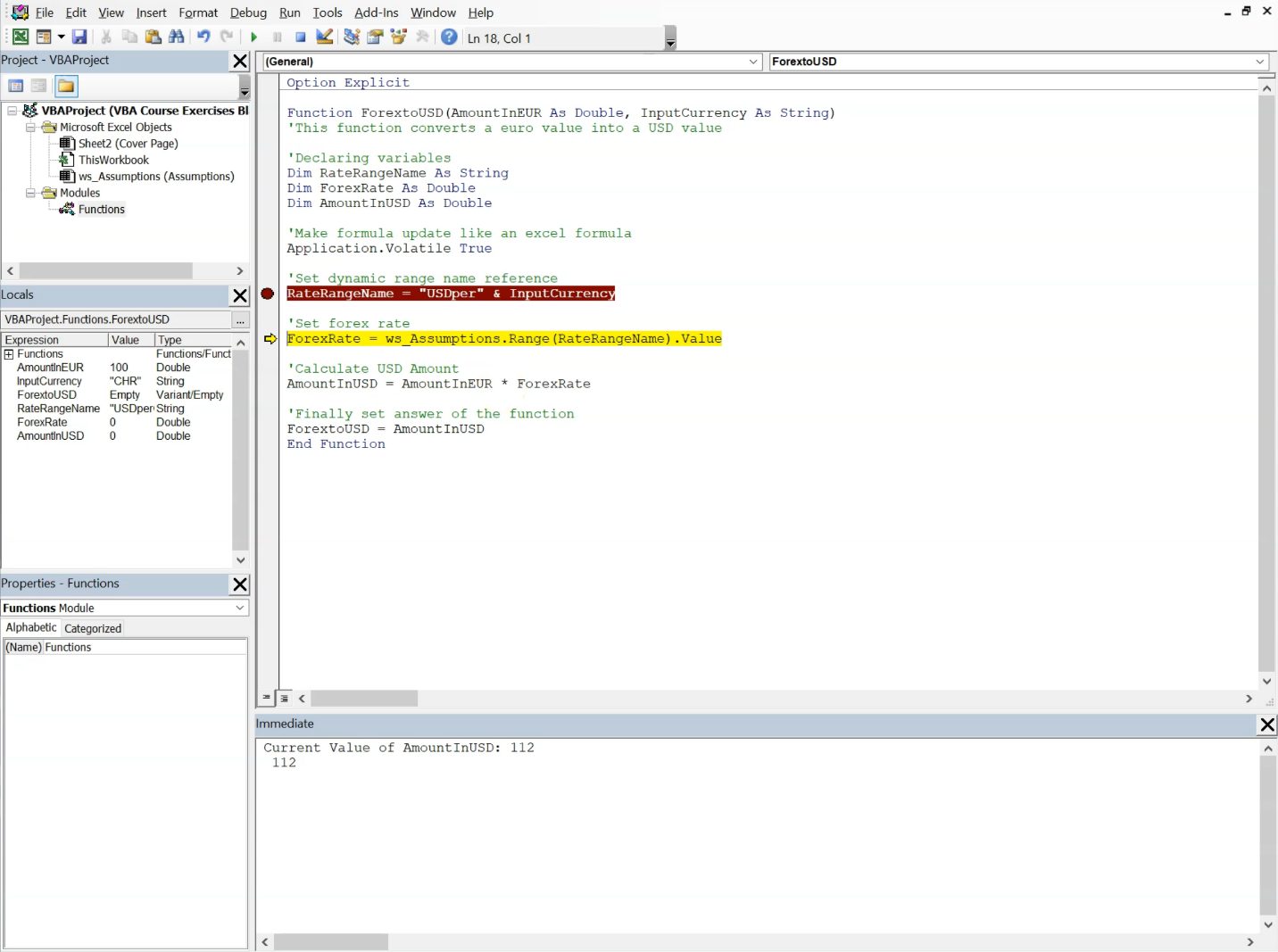
Using Breakpoints
Tracking Down an Error
Option Explicit & Types of Variables
Testing Option Explicit
Variable Types for Arguments
Code Order
Other Ways to Track Values
Trapping an Exception with On Error Resume Next
Exit Function & Colons
Chapter Review
Errors and Exceptions Exercise 1
Errors and Exceptions Exercise 1 Review
Errors and Exceptions Exercise 2
Errors and Exceptions Exercise 2 Review
Recap of New Techniques
Finalize and Publish Functions
Session Objectives
Currency Recap
Catching an Exception By Using an Indented IF
Setting Up Our Code to Handle Multiple Output Currencies
Output In Any Currency
Review the Final Function
Saving Our Function as an Add-in
Download a Colleague's File
Installing an Add-in
Preventing Add-in Code Conflicts
Events & Automations
Session Objectives
Why Use a Central Assumptions File
Create a Message Box Routine
Call the MSGBOX Each Time the Workbook Opens
Creating the Central Assumptions File
Setting Up A Code Framework
Pasting Data Back to the Workbook
Testing Our Code
How to Reference Another Workbook (Excel)
Creating a VBA Reference to Another Workbook
Using a VBA Reference to GET Value from Another File
Common Errors When Referencing Workbooks
Catching an Exception with an IF Statement
Ensuring the Update Happens Every Time the File Is Opened
For Each Loop
Adapting Our Loop
Chapter Review
Events and Automation Exercise 1
Events and Automation Exercise 1 Review
Best Practice Tips
Events and Automation Exercise 2
Events and Automation Exercise 2 Review
Working with Arrays
Sessions Objectives
Setting Up Our Project
Working With Multiple Workbooks
Testing with STOP
Selecting a Sheet in Another Workbook
Assigning Values to an Array
Testing an Array
Gathering Data and Returning to ThisWorkbook
Methods
Resize a Table
Populating a Table of Data
Loop Through Rows
Success or Failure Message
Using our Array of Data in our Model
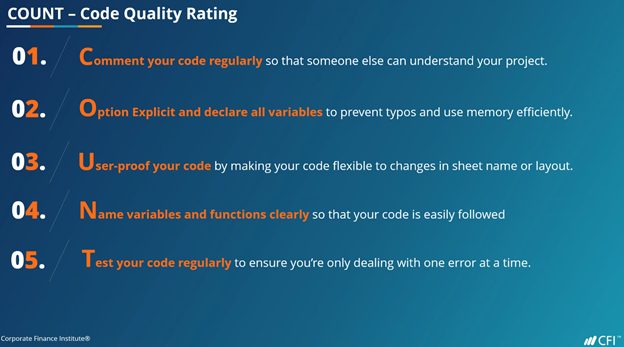
COUNT - Code Quality Rating
Working with Arrays Exercise 1
Working with Arrays Exercise 1 Review
Working with Arrays Exercise 2
Working With Arrays Exercise 2 Review
Qualified Assessment
This Course is Part of the Following Programs
Why stop here? Expand your skills and show your expertise with the professional certifications, specializations, and CPE credits you’re already on your way to earning.
Data Analysis in Excel Specialization
- Skills Learned Data Modelling & Analysis, Data Transformation, Data Visualization
- Career Prep Data Analyst, Business Intelligence Specialist, Data Scientist, Finance Analyst
Financial Planning & Analysis Professional
- Skills You’ll Gain Accounting, Finance, Excel, Data Analysis, Financial Statement Analysis, Financial Modeling, Budgeting, Forecasting, Power Query, Power BI, Data Visualization, Economics, and more
- Great For The FPAP certification focuses on practical, desk-ready skills that are immediately applicable to current FP&A professionals or anyone seeking to land a role in FP&A
What Our Members Say
Excellent foundation to Excel VBA coding!
Excellent foundation to Excel VBA coding! The instructor was very clear in delivering the lessons.I even liked how interactive he was in the 'Handling Errors' section. I also appreciate the summaries.Loved absolutely everything about this course! Kethlois Meikle,FMVA
Fascinating VBA course
Completing this course was way beyond my expectation. I particularly appreciated that the tutor provided high-level explanations and incredibly insightful comments all the time when guiding me through the core material. Kornél Peszt
A bit complex but explains a lot
Good course, I would say it explains more than basics, which can be a bit complex for the beginners.
Anyway, I would add downloadable text/transcripts/notes based on what instructions is saying, some exercises after each section as well as a full presentation. Erikas Daugirdas
Professional approach on VBA Finance
VBA for Finance course has a very professional approach on this topic, giving the clarity on the logic of the coding and helping you understand what is behind the scene when writing the code along with an excellent example deleted_100023389 deleted_100023389
Frequently Asked Questions
If you haven’t found your answer from our FAQ, please send us a message.
If you haven’t found your answer from our FAQ, please send us a message.





