
Overview
Power BI Financial Statements Overview
Welcome to the most comprehensive Financial Statements in Power BI walkthrough ever. In this case study, you’ll practice your BI skills by taking on the role of a Business Intelligence Developer. You will be helping a retail company automate and visualize its most important financial statements. Creating Financial Statements in Power BI poses three significant challenges, which we will help you solve using a combination of BI tools.- Challenge 1: How to replicate financial statement layouts and formatting
- Challenge 2: How to create account subtotals and other DAX summaries
- Challenge 3: How to create the more complex cash flow statement
Interactive Financial Statements in Power BI
Power BI offers a great way to visualize and interact with high-level financial data.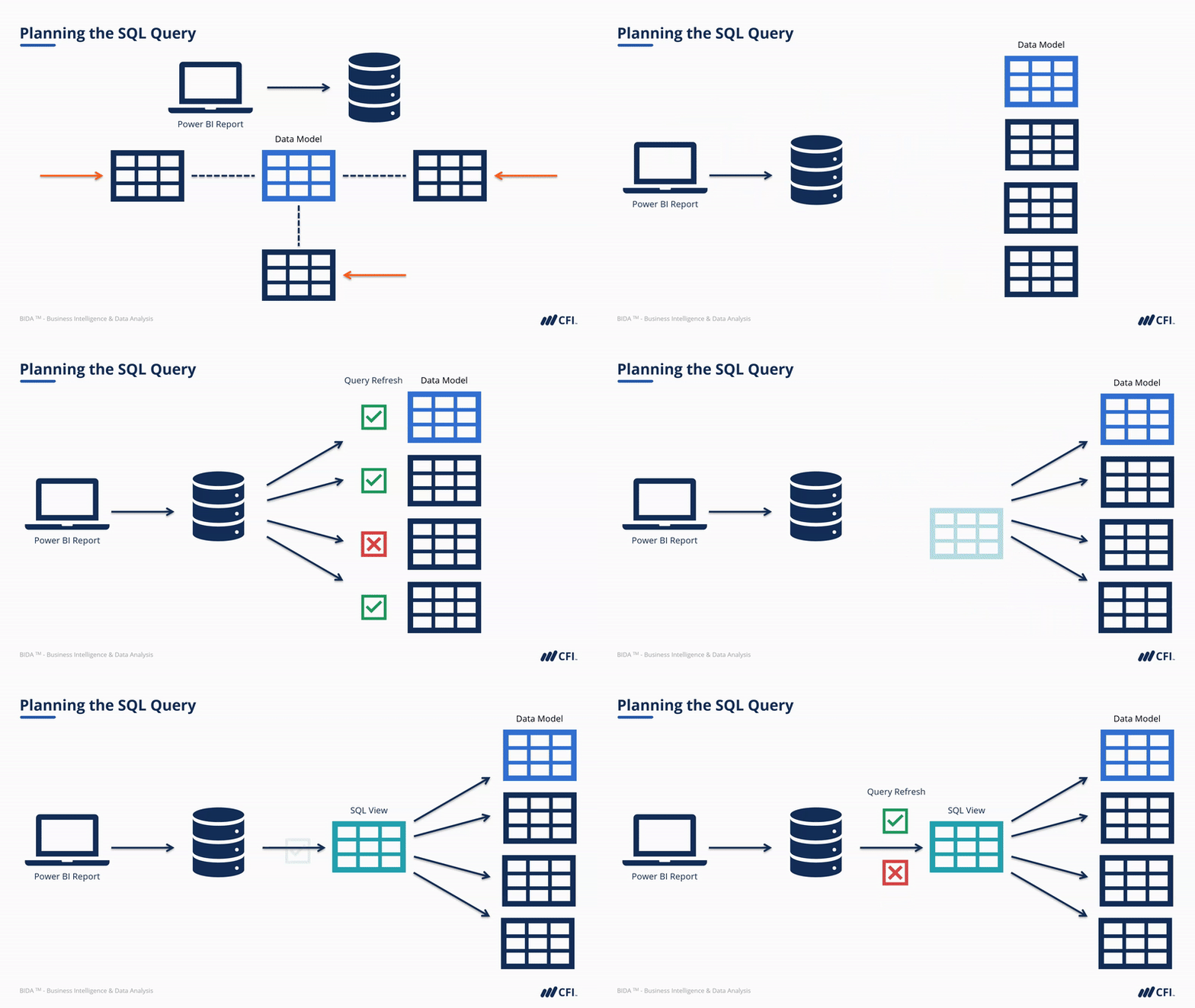
Who should take this course?
This course is perfect for anyone who wants to apply their Power BI and DAX skills in a real-world scenario. There is no better way to kick-start a career in data analysis, quantitative analysis, business intelligence, or other areas of finance with applied, practical knowledge of Power BI and related BI tools.Power BI Financial Statements Learning Objectives
- Understand how to define and propose an achievable project scope
- Write an SQL query to source General Ledger Data from a database
- Build a data model using a snowflake schema in Power BI
- Build an Income Statement and Balance Sheet in Power BI
- Create financial statements in Excel using Cube Formulas
- Compare the benefits of Power BI vs. Excel for Financial Analysis
Prerequisite Courses
Recommended courses to complete before taking this course.
Power BI Financial Statements

Led by
Sebastian Taylor

Led by
Joseph Yeates
Level 4
3h 20min
100% online and self-paced
Field of Study: Finance
Start LearningWhat You'll Learn
Lesson
Multimedia
Exams
Files
Case Study Introduction
Getting Started
Free Preview
Case Study Introduction
Free Preview
Your Role as a Business Intelligence Developer
Free Preview
Video Call with CFO
Free Preview
Challenges to Consider in the Project
Free Preview
Project Requirements Email
Free Preview
Exercise 1 | Email Response to Mia Simpson
Free Preview
Final Project Requirements and Approach
Free Preview
Financial Statements Review
Free Preview
Case Study Files Overview
Case Study Student Files Download
Glossary
Extract Data from the Database
Chapter Introduction - Extract Data from the Database
Download Azure Data Studio
Student Task - Connect and Explore the Database
Student Task Review - Connect and Explore the Database
Entity Relationship Diagram
Exercise 2 | ERD
Plan the SQL Query
Student Task - Write the SQL Query
Student Task Review - SQL Query Part 1
Student Task Review - SQL Query Part 2
Create the SQL View
Chapter Review
Create the Data Model in Power Query
Income Statement in Power BI
Chapter Introduction - Income Statement
Financial Statements with Existing Data Model
Create Headers Table in Excel
Import Headers Table into Power BI
Create I/S Amount Measure
Create I/S Subtotal Measure
DAX Functions
Exercise 3 | DAX Functions
Create Income Statement Measure with SWITCH()
Create % of Revenue Measure
Format % of Revenue Measure
Finalize the Income Statement Measure
Create Subcategory Display Filter
Finalize the Income Statement
Add Data Refresh Date
Format the Power BI Report
Create the Waterfall Chart Visual
Chapter Exercise - Income Statement
Chapter Exercise Hints - Income Statement
Chapter Exercise Review - Income Statement
Balance Sheet in Power BI
Chapter Introduction - Balance Sheet
Update the Headers Table
Create B/S Amount Measure
Create Cumulative Amount Measure
Create B/S Subtotal Measure
Create Balance Sheet Measure with SWITCH()
Create Opening Retained Earnings Measure
Create Retained Earnings Measure
Create Total Equity Measure
Create Total Liabilities & Equity Measure
Finalize the Balance Sheet
Chapter Exercise - Balance Sheet
Chapter Exercise Hints - Balance Sheet
Chapter Exercise Review - Balance Sheet
Add Detail and Create Additional Statements
Check-In and Review with CFO
Sharing a Data Model
From Power BI to Excel
Basic Example in Excel
Analyze in Excel with Cube Formulas
Chapter Introduction - Cube Formulas
What are Cube Formulas?
A Closer Look at Cube Formulas
Use Slicers with Cube Formulas
Define Reporting Year Context for the Income Statement
Populate Basic Values of the Income Statement
Student Task - Complete the Income Statement
Student Task Review - Complete the Income Statement
Student Task - Build the Balance Sheet
Student Task Review - Build the Balance Sheet
Cash Flow Statement Introduction
Populate the Cash Flow Statement
Cash Flow Statement Review
Cube Formulas Review
Case Study Summary
Qualified Assessment
This Course is Part of the Following Programs
Why stop here? Expand your skills and show your expertise with the professional certifications, specializations, and CPE credits you’re already on your way to earning.
Business Essentials Certificate
- Skills Learned Microsoft Excel, Word, PowerPoint, Business Communication, Data Visualization, Ethics
- Career Prep Sales Skills, People Management Skills, Relationship Management Skills, Business Analysis Skills
Business Intelligence Analyst Specialization
- Skills learned Data Transformation & Automation, Data Visualization, Coding, Data Modeling
- Career prep Data Analyst, Business Intelligence Specialist, Finance Analyst, Data Scientist
What Our Members Say
Case Study - Financial Statements in Power BI Review Title
Insightful Azeez Raimi
Excellent work
excellent work, furthermore if we can add pop ap to the dashboard.
Salem Qasem Ahmed Al-Tashi
Nothing but perfect.
These courses are always really clear, engaging, and well presented. Would definitely recommend studying with CFI. Aaron Burningham
Real-world challenges and application of BI skills
Wow, I was truly challenged by this module. As an accounting professional I found a lot value in being able to combine and practice SQL, Power Query and Power BI. Learning about Cube Formulas was an excellent cherry on top. Lwazi Mace
Frequently Asked Questions
If you haven’t found your answer from our FAQ, please send us a message.
If you haven’t found your answer from our FAQ, please send us a message.





